Gen 1
Guided Flows
Feedback became precise.
Instead of a static screen in a deck, reviewers saw it in flow and commented in place.
I was the only designer at a company that wanted to move fast, doing two full-time jobs: keeping the design system accurate and doing the work it supported. So I built design systems an AI agent could work from. I explored more options, then spent the time saved refining the one I chose.
My Figma libraries were in good order. The product just grew faster than I could design for it.
Without specs for every case, engineers reasonably fell back on framework defaults, and the design system became a record of what we planned, not what shipped. Redrawing screens to catch up would never have ended.
I didn't have access to the code itself, so I worked with what I could reach. Knowing HTML, CSS and JavaScript meant I could read and understand what the agent produced, rather than taking it on trust.
Screenshots showed what shipped, a summary of the code showed how it was built, and Figma showed what was intended. Each told the story a little differently, so every rebuilt token recorded where its value came from and whether code confirmed it.
Recording the differences was only the start. The agent brought each one to me, I decided which version to keep and wrote down why, and each pass left fewer open questions.
What didn’t work at firstBefore the system became stable, the agent read the same screenshots and code notes differently from one session to the next, and at times picked the wrong option. When a new project surfaced problems with the system, I added them as I went, and the two versions of the system drifted apart. That drift is what forced the codification of the refinement loop above: a decision on which source to follow in each case, a checklist to catch off-system output, and a way to keep evolving the system without reopening what was already settled.
Gaps got rulings too, where no source said anything. Nothing changed quietly: new ideas stayed proposals until reviewed. It took four releases to reach a stable system, and from there prototyping and design work moved noticeably faster.
Every project still started with discovery: sessions with key stakeholders, product and engineering to get the problem clear before design began. But feedback throughout is where design really improves, and once the system was reliable, prototypes became the way to get it, not a final step. Reviewers could set up a scenario and see how the design actually responded, without paging through hundreds of static screens.
Feedback became precise.
Instead of a static screen in a deck, reviewers saw it in flow and commented in place.
Reviewers had real-world questions.
Simple flows can't cover edge cases, so the prototype grew a panel of controls that simulated them without building each one by hand.
Prototypes became simulated software.
A customer app and a staff app shared one set of data, so a change in one showed up in the other. Engineering could see how I meant the software to behave from the start, not just at handoff.
Built from tokens and components that represented the live product, prototypes started earlier and took about half the time. I tried more directions and spent the time saved refining one. Reviews moved from how things looked to how their states behaved, which is where the real decisions were hiding. You can try a sample of the concept yourself in Stage 5.
“He’s picked up AI-assisted design tools ahead of a lot of the team, and he’s helped normalize using them without leaning on them as a crutch.”
“His designs are very professional and intuitive, and are a huge improvement compared to our previous system designs. He doesn’t settle for mediocre and he keeps pushing to make his designs great.”
“Darren is articulate and is effective at communicating his ideas and working through different design concepts … his work utilizing AI is laudable.”
Sixty React components by atomic level, with tokens, rulings and accessibility built in.
The first 32 components took two days and lifted coverage of the live product from under a third to over three quarters. The agent started every new screen from the same parts and rules I would have used, and a 28-point checklist evaluated its output before anyone else saw it. In the demo below, change the journey, flights or disruption and watch the tokens swap whole components, not just colors.
Short builds where I take an idea from problem to a working solution.
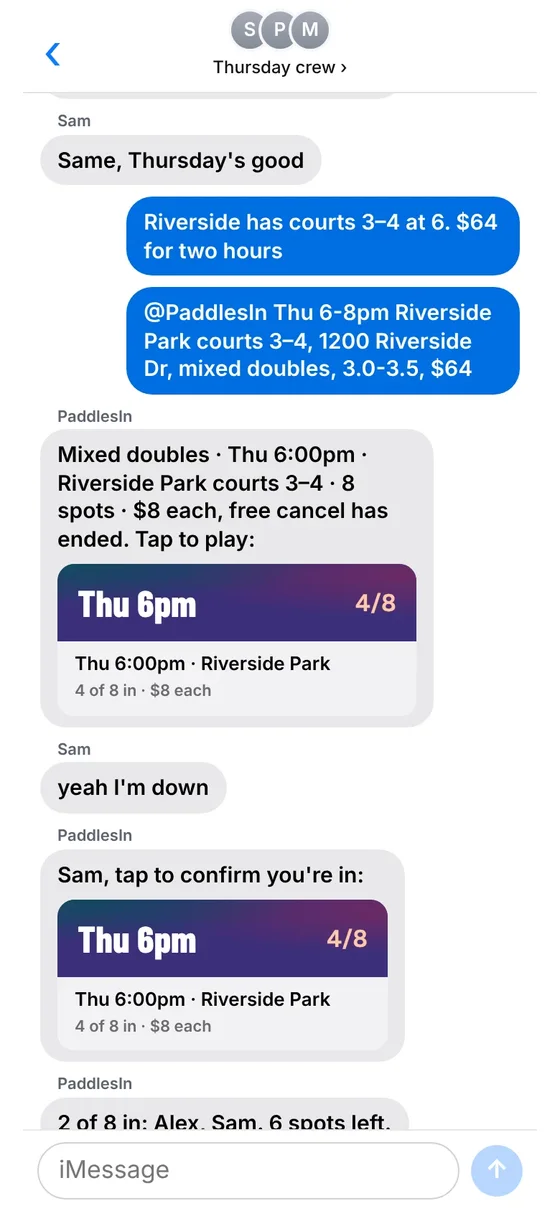
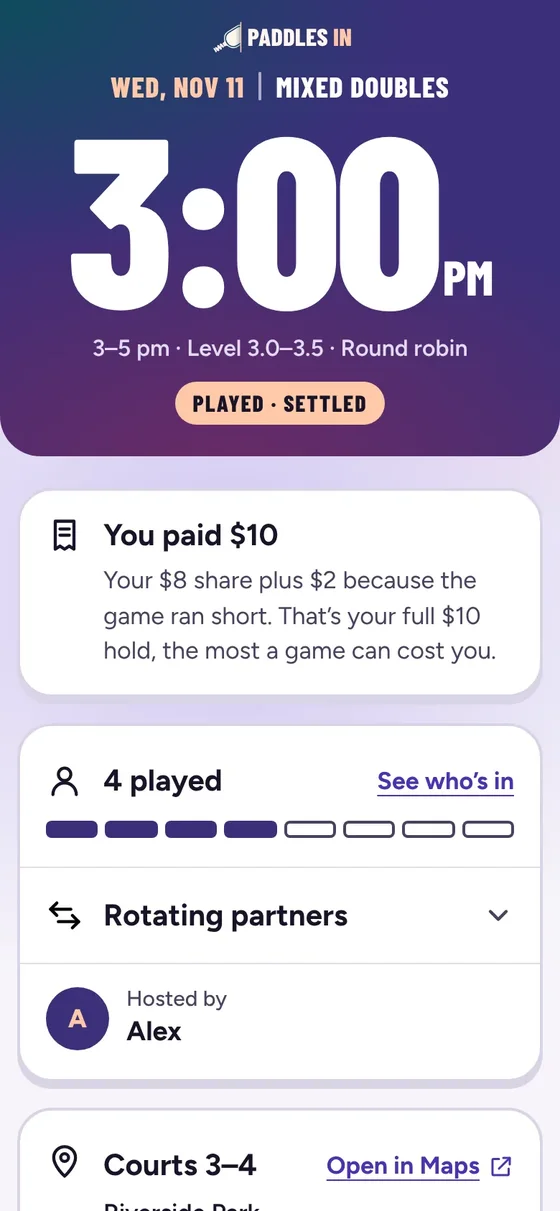
One friend books the pickleball court and then spends the week chasing everyone for $8. Paddles In lives in the group chat: saying “I’m in” puts a PayPal or Venmo hold on your share, and after the game each player is charged only what they owe and the organizer is paid back automatically.
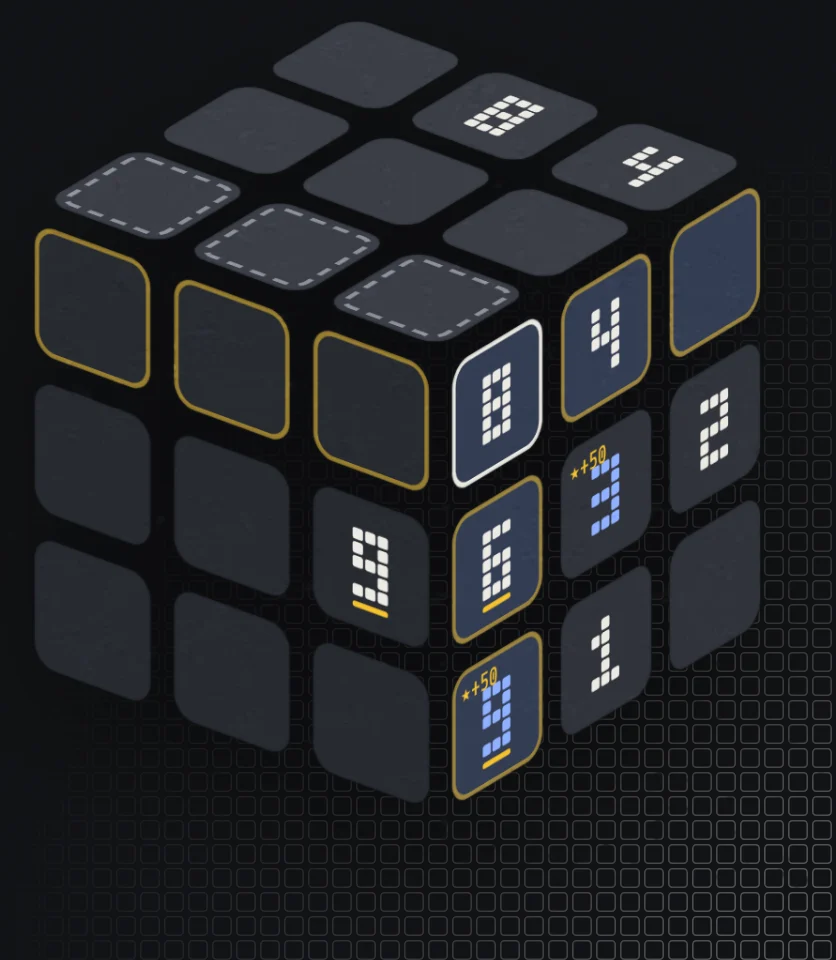
 Daily Sudoku challenges with a twist
Sudoku, but on a cube you can turn. Everyone on Reddit gets the same scrambled cube each day: twist the rows back until the clues line up, then fill all 54 squares so every face and every line around the cube holds 1 to 9.
I'm looking for a full-time role in design engineering, design systems or product design, on a team where design and development work hand in hand, and AI widens what we can accomplish. Also open to the right project.
E-commerce UX and email campaigns at Lensabl, and event branding for ESPN UK.